Police Portal
BSN can share incident reports with a victim’s local police force — but only the reports a victim has explicitly consented to share, and only with the force covering the postcode district the incident happened in. This page covers both sides: the force’s view, and the victim’s consent controls.
For the legal and policy background (DPIA, lawful basis, retention), see docs/police-partnership/ in the repo — those documents are drafts pending legal review and aren’t yet published on this site.
Consenting to share (victim side)
Section titled “Consenting to share (victim side)”When reporting an incident on the Community Map, a victim can opt in to share it with their local force. Consent isn’t required to submit a report — it’s an extra step for anyone who wants police visibility beyond whatever they’ve already reported through 101/999.
Once consented, the victim gets a thread view for that incident:
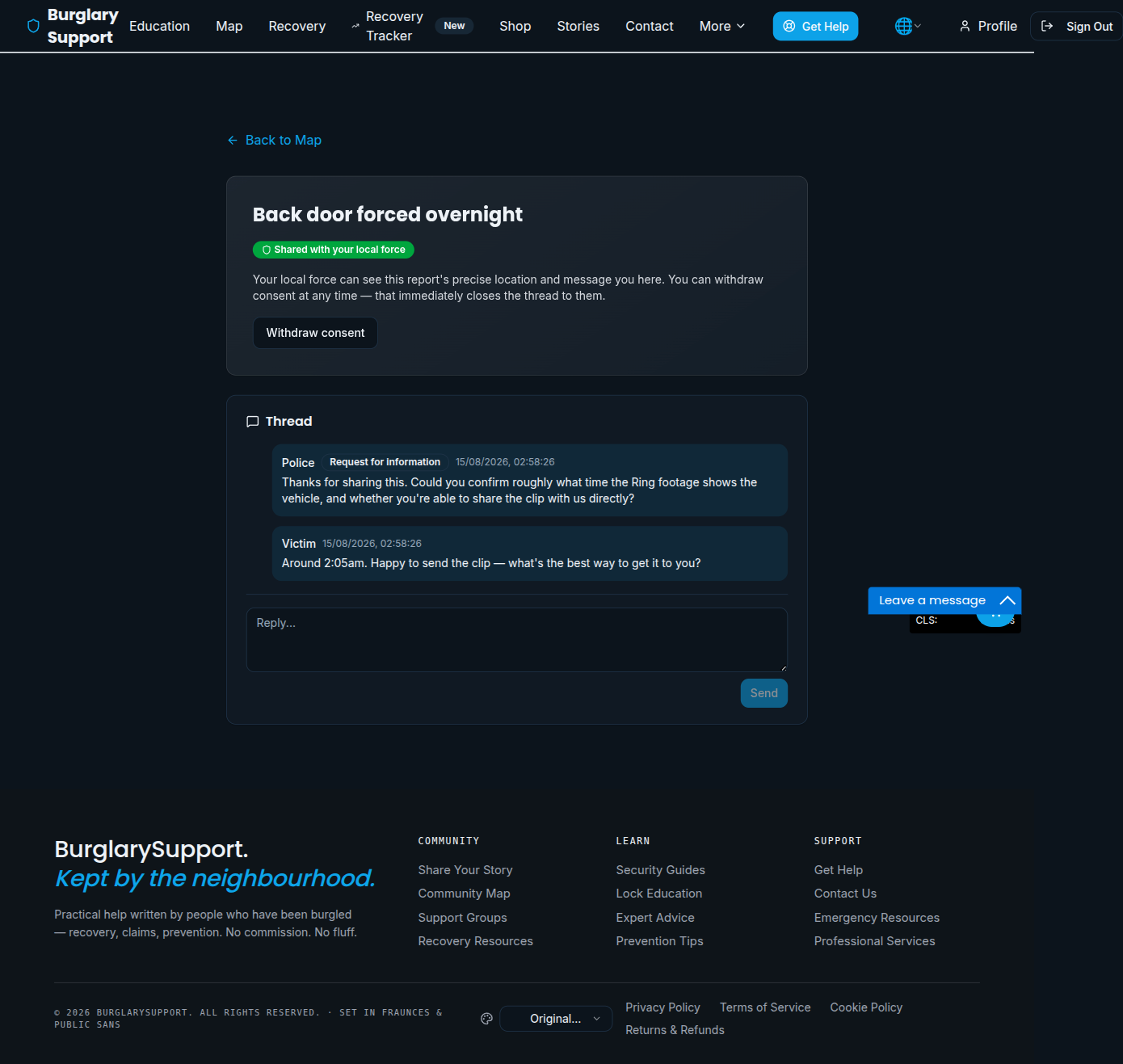
From here, a victim can:
- See the consent state clearly (Shared with your local force)
- Withdraw consent at any time — this immediately closes the thread to the force; they lose access to the precise location and message thread going forward
- Read and reply to any requests for information the force has sent
Force accounts
Section titled “Force accounts”Police users are assigned the police role by a BSN admin (see Admin Panel → Managing users), along with a specific force. That force’s covered_postcode_districts scope everything a police account can see — a force cannot query or browse incidents outside its own area, regardless of consent.
Force dashboard
Section titled “Force dashboard”Signed-in police users land on their force’s dashboard:
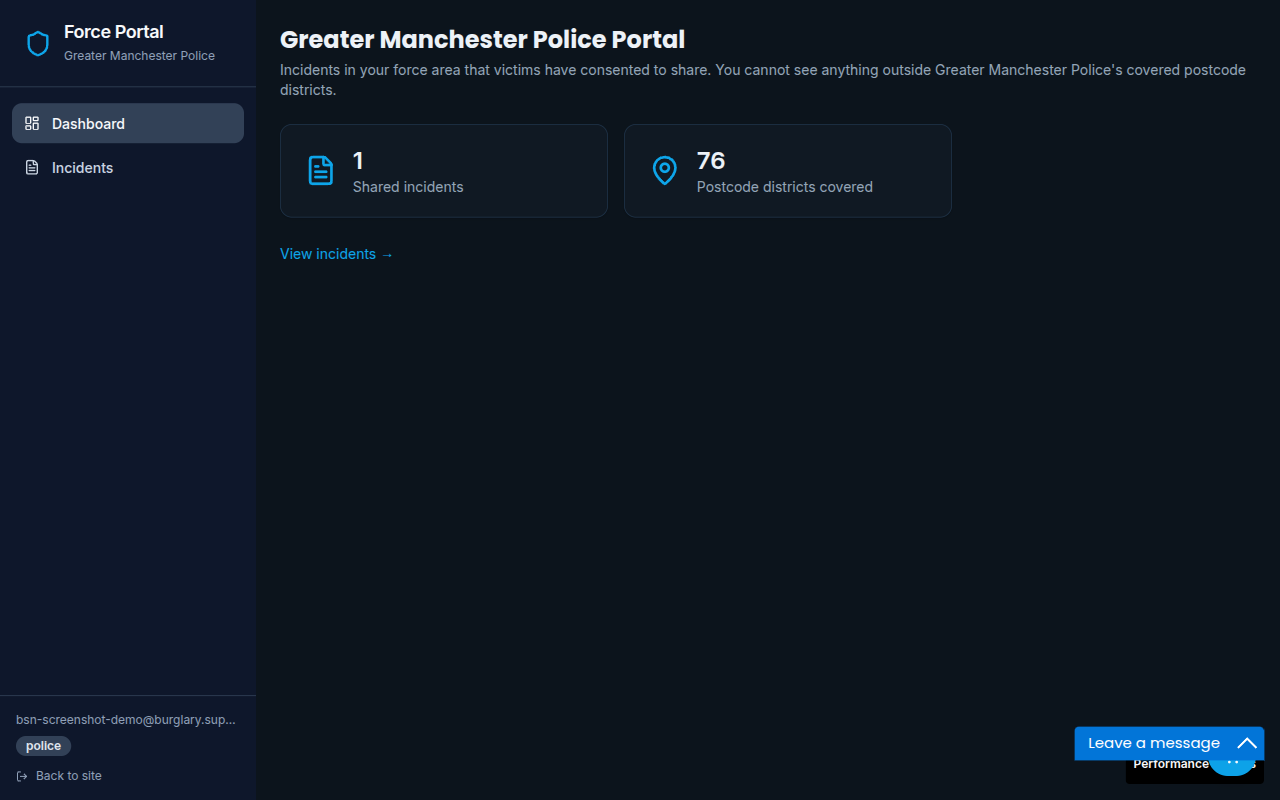
It shows how many incidents have been shared with consent, and how many postcode districts the force covers. View incidents goes to the list of shared incidents.
Incident detail and thread
Section titled “Incident detail and thread”Opening an incident from the list shows a deliberately limited view: location, date, method of entry, whether it was already reported to police or an insurer, and any notes the victim wrote specifically for police — plus a two-way thread.
The victim’s own free-text description of the burglary is not shared with forces. They wrote it for a support service rather than for the police, and it’s the field most likely to contain health or family detail they didn’t intend to disclose. The same applies to anything that would let a force link multiple reports as coming from the same person. The disclosed field list is fixed in the database function forces read through, so it can’t be widened by a UI change.
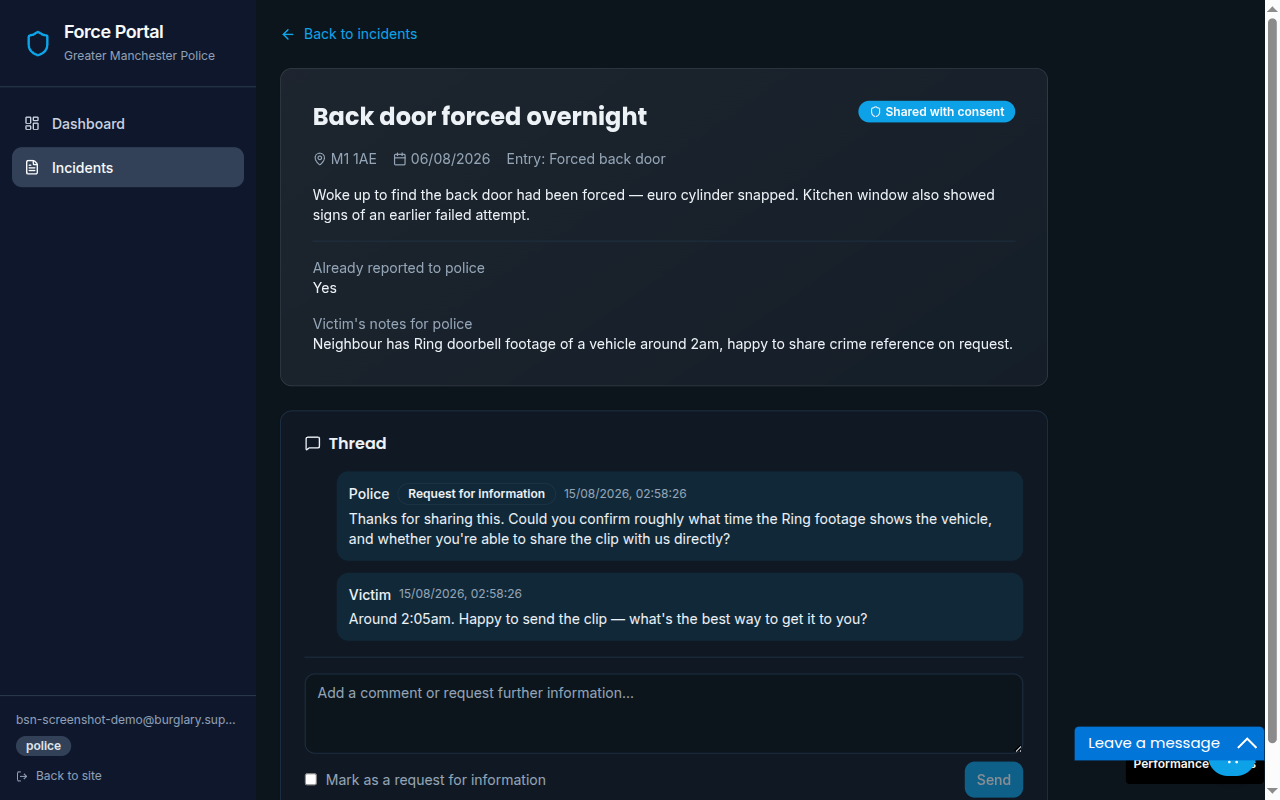
Officers can post into the thread, optionally marked as a request for information, and the victim sees and can reply to these in their own thread view (above). There’s no separate messaging system to check — it’s the same thread on both sides.
If a victim withdraws consent, the incident drops out of the force’s list and the thread closes to them; the victim retains their own copy of the conversation.
What gets recorded
Section titled “What gets recorded”Every time a force opens an incident, lists the incidents shared with them, or sends a message, the database records it — who, which force, which incident, and whether the access was allowed. This isn’t something the portal chooses to log: police accounts have no direct read access to incident data at all, and reach it only through functions that write the audit entry in the same step. An access that wasn’t logged didn’t return any data.
Victims see this on their own report, under Who has seen this report, including any refused attempt (for example, a force opening a report after consent was withdrawn).
Getting a copy of your data, or deleting it
Section titled “Getting a copy of your data, or deleting it”On the same page, under Your data, a victim can:
- Download my data — a JSON file containing the report, every message in the thread, and the complete police access trail
- Delete this report — permanently removes the report and its thread
Deletions are recorded separately (the fact one happened, by whom, which postcode district, and whether the report had been shared with a force) so that an erasure request can be evidenced afterwards. No location, postcode or free text is kept.
BSN admins can do both on a victim’s behalf from Admin → Data Requests, which is the supported route for a subject-access or erasure request that arrives by email.